General Contracting
|
Purchases |

|
General Contracting
|
|
|
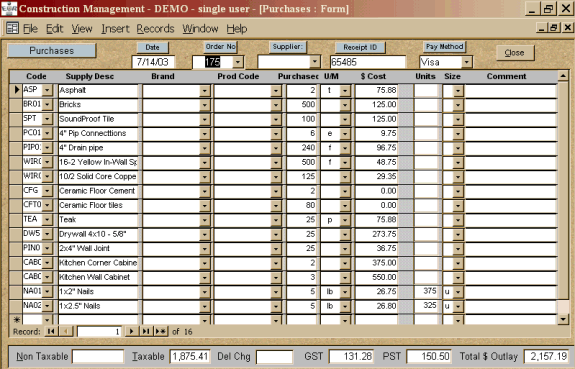
When purchases are ordered for particular jobs, the operator enters the Customer order number and hits the Enter key. The screen will then display all the open (outstanding) items to be purchased for that order. |
|
|
 |
|
Print
our Information Package about this program
This manual requires Adobe Acrobat Reader. If you do not have this
program on your computer,
please visit  to download your free copy.

|
Have a problem and can't find the answer on our site? Contact us at help@ ercomputers.com. |
Looking for a way to help
organizing your affairs? |
|
Can we help you professionally? |
Want to know what people say about
us? |
|
Thanks
for visiting |
||
 |
|
 |
|
|
 |
|
|
|
 |
|
|
|
||
|
These links will lead you into our framed
website. It is best viewed at a screen resolution
of 1024 x 768 dpi, however, 800 x 600 dpi
will also work. |
||