|
|
|
|
Active
Desktop |
A feature that allows you to use animated Web pages as your desktop wallpaper.
As an example, you could setup your desktop to have lanterns flicker
periodically.
It should be noted, that when this feature is used, there is an added drain on your system's RAM resources. If you have low RAM (anything less than 128 megs, it would be unadvisable to use this feature.) | |
| ActiveX | A Microsoft technology that provides interactive content on Web pages. | |
| address | The location of a file. You can use addresses to find files on the Internet and your computer. Internet addresses are also known as URLs. | |
| Address Bar |
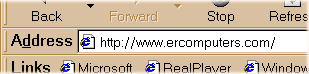
A method of opening files that are on the Internet or your computer. When you type an address in the Address Bar, you open the file at that address. If you would type, c:\windows\Pbrush.exe, the MS Paint program would open. This feature also uses the drop down menu feature. | |
| application |
Another term for programs that performs a task. Word processing, Spreadsheet, Graphics are all applications.
For each kind of application, you can find a wide variety of manufacturers that have created software to fulfill a task. For example, if you wanted to purchase a word processing program, you could choose from Microsoft's Word, or, Corel's WordPerfect, or Lotus's Amipro, or a number of others. | |
| arrow | See pointer. | |
| asp |
Active Server Page
- A web page that is designed to interact with a visitor. For example,
when you perform a search on Google or some other search engine, you input
information into a field and click on a submission button.
When you perform the action above, a database of information is accessed and the answer to your question is returned on a secondary page. | |
| AutoComplete |
A feature common to Address Bars and drop down lists. When you begin typing a previously used address, this feature
fills in as you type. Start typing the address, look up after a few keystrokes, if the
completed address is there, just tap the
 key on your keyboard. key on your keyboard.
This feature is marvelous. When you get use to it, the key stroke saving can be considerable. |
 |
 |
 |

|
Have a problem and can't
find the answer on our site?
Click Here To
Contact Us. |
|
Want to know what people say about us? Visit our Comments page. |
|
Let us know what you think about our site or want
to offer any suggestions. |
|
Thanks for visiting |
||
 |
|
 |
|
|
 |
|
|
|
 |
|
|
|
||
|
These links will lead you into our
framed website. It is best viewed at a screen
resolution of 1024 x 768
dpi, however, 800 x 600 dpi will
also work. |
||